
 site
site contact
 history
 index
indexEasyOS Excalibure-series version 7.4.8 released
Highlights since 7.4.7:
- German and Ukrainian translations
- Chromium 151 and 152 not using system X cursor — September 14, 2026
- Compiled 6.12.109 kernel — September 10, 2026
- Improve low-battery warning — August 27, 2026
- EasyOS draft submitted to Wikipedia — August 25, 2026
- Fix for pulseaudio causing app crash — August 23, 2026
- Pulseaudio mixer causes apps to crash — August 23, 2026
- More packages compiled in woofQ2 — August 20, 2026
- Chromium 150.0.7871.181
Download:
https://distro.ibiblio.org/easyos/amd64/releases/excalibur/2026/7.4.8/
Feedback welcome at the forum:
https://forum.puppylinux.com/viewtopic.php?p=176818#p176818
Have fun!
Tags: easy
Chromium 151 and 152 not using system X cursor
You guys running EasyOS 7.4.7 will know about this. It is a known problem reported to the Chromium developers:
https://doc-1160-1o5g-issuetracker.googleusercontent.com/issues/544155039
I have just built EasyOS 7.4.8 with Debian's latest Chromium .deb, version 152.0.7977.82, and the fault is still there.
I do wonder about the Chromium developers sometimes. A little while ago, they introduced a bug with the mouse pointer hovering over the tabs. These bugs should not be happening in the first place, which makes me think the developers are not using Xorg and not bothering to test on Xorg.
I don't want to release 7.4.8 with this bug still
there.
Tags: easy
EIS, OIS, gimbal, or post-process video
In my YouTube "Nomad" series, I record a lot of videos while walking. When I purchased my Moto G75, the OIS (Optical Image Stabilization) feature was one of the deciding factors. There is some jerkiness when walking, and I suppose the OIS helps; however, when panning, which I do a lot, there is a jerkiness that is actually caused by the OIS.
I asked Google about this:
Panning shots: Sometimes internal stabilization fights a
smooth pan and creates a jerky snap at the end of the movement.
Well, no, not at the end of the pan, I get it 2 or 3 times during a large pan. Google AI also stated this:
Using a tripod: Keeping stabilization on while the camera is completely still can cause small, unwanted floating or jumping motions. Turn it off for tripod shots.
I have been experimenting with video post-processing stabilization apps, but they don't make the videos better.
Watching YouTube videos, it seems that top-brand action cameras can track an object, such as a face, and record very un-jerky videos. Or, use a 3-axis gimbal, either a camera with integrated gimbal, or one to which a phone can be attached. Latter example:
https://www.jbhifi.com.au/products/zero-x-3-axis-gimbal-with-power-bank

...main problem is they are large. When I travel, want recording
to be as discrete as possible.
Or, combined camera and gimbal, such as the DJI Osmo Pocket:
https://www.jbhifi.com.au/products/dji-osmo-pocket-3-4k-3-axis-gimbal-camera-combo
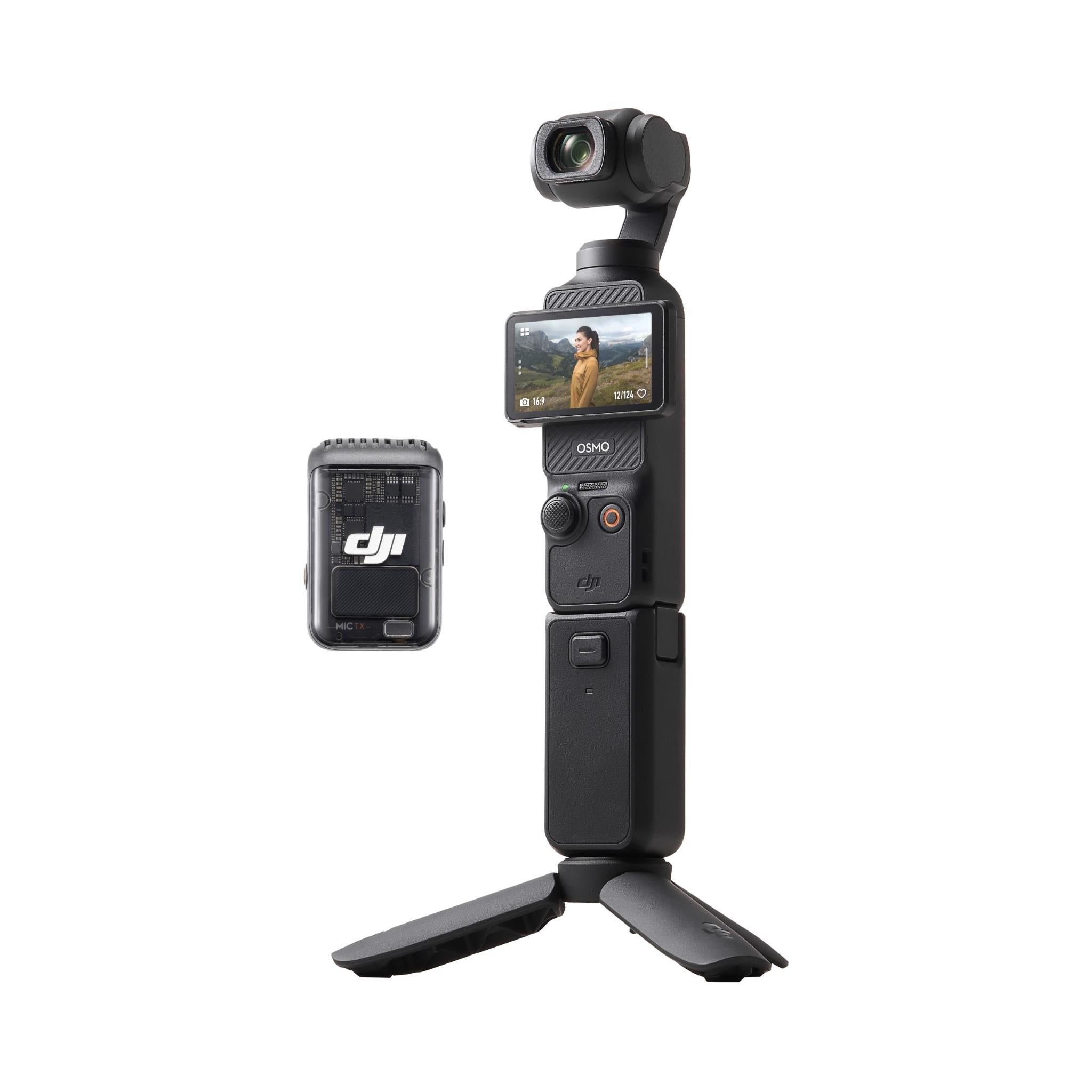
...AU$789!!!
No, not ready to throw money at something like that. Not yet anyway. Still one more thing to try with my phone; record with OIS turned off, then post-process. Will give that a go tomorrow.
To follow the progress, here is my "Nomad" video series:
https://www.youtube.com/@meanderinglight/videos
Tags: nomad
Compiled 6.12.109 kernel
Haven't done much EasyOS development recently; busy with the YouTube "Nomad" channel.
but, need to bring out a new release soon. Have bumped to the
latest 6.12.x kernel.
Tags: easy
Improve low-battery warning
Easy 7.4.7 has powerapplet_tray version 3.1, which added a beep
when battery discharges below 10%, repeated every 15 seconds (and
only when discharging, not on charge).
One of the tester guys commented that it wasn't very noticeable,
and unfortunately I also discovered the same. Running the laptop
in my tent, it wasn't on charge, and I did hear the beep, but
didn't connect that with the battery being low. The tray icon also
flashes, but I didn't notice that either. Then the laptop suddenly
died.
I have bumped powerapplet_tray to version 3.2, and this time it calls an external script, /usr/sbin/bat-low-warn, every 15 seconds:
#!/bin/ash
#20260827 /root/Startup/powerapplet_tray will call this every 15 seconds
#when battery below 10%.

export TEXTDOMAIN=bat-low-warn
export OUTPUT_CHARSET=UTF-8

paplay /usr/share/audio/error.wav

M0="$(gettext 'WARNING LOW BATTERY')"
popup "background=#ffa0a0 terminate=5 timecount=dn name=batlow|<big><big><b>${M0} </b></big></big>"

sleep 1
paplay /usr/share/audio/error.wav
###end###
...that should get our attention!
Tags: easy
Phone signal in tent
Ha ha, this is funny. I have been camping here for two weeks, at
a campground on the south coast of Western Australia, and had to
walk about 5 minutes to the beach to get a phone signal.
Wasn't getting a signal in my tent; however, today discovered if raise my phone, and get it into just the right spot, there is a weak 4G signal:
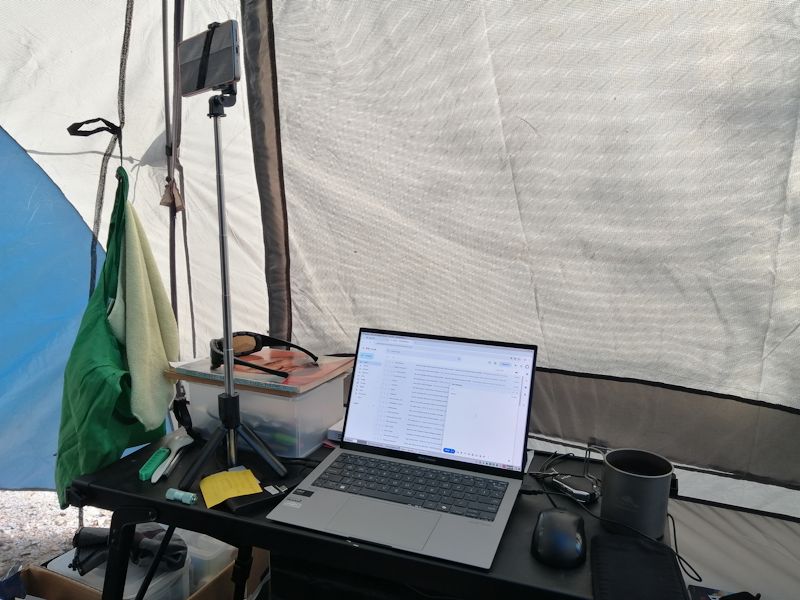
It is weak, some websites timeout, but can do basic browsing with
phone a wifi hotspot; gmail and forum access ok. The signal may be
dependent on the weather, we shall see.
Tags: nomad
EasyOS draft submitted to Wikipedia
Forum member pp4mnk submitted this to Wikipedia awhile ago:
https://en.wikipedia.org/wiki/Draft:EasyOS
I didn't mention it earlier, as I thought that it looked OK and would be accepted. But it hasn't, see the commentary prepended.
pp4mnk sent me this in a private message, June 26:
I consider positive if easyos users can visit it and make
suggestions to improve it, but they must take into account
wikipedia basics, so a post publishing that I have prepared a
Wikipedia draft, and it is currently awaiting review. If anyone
would like to take a look and notices any errors, references
that could be improved, or sections that could be made more
neutral, I would be greatly appreciate any suggestions.
https://en.wikipedia.org/wiki/Draft:EasyOS
Many people think Wikipedia has very few restrictions, but
it's actually quite the opposite. The standards are very strict,
and depending on which reviewer evaluates your draft, getting it
accepted can sometimes be quite challenging. Let's keep our
fingers crossed!
I greatly appreciate the effort that pp4mnk has put into this.
Maybe someone could edit it, take out what they consider to be
LLM-generated.
Tags: easy
Fix for pulseaudio causing app crash
Described this earlier today:
https://bkhome.org/news/202608/pulseaudio-mixer-causes-apps-to-crash.html
I'm concerned that apps other than geany might also crash, and apps other than pavucontrol might cause the crashes.
So, have restored this in /etc/profile:
export XLIB_SKIP_ARGB_VISUALS=1
As was described in a github link in the previous blog post, enabling that variable causes issues with Asian languages in chromium. So, instead have disabled it in chromium.
/usr/bin/chromium is a script, that will run chromium as user "chromium". I have inserted this into the script:
unset XLIB_SKIP_ARGB_VISUALS
The script is generated by /usr/local/clients/setup-client, by woofQ2 when EasyOS is built.
Interesting, I wonder if some other mysterious crashes that some
users have reported, will now be fixed.
Tags: easy
 rss
rss