
 site
site contact
 news
newsTotolink A2004NS fast wireless/ethernet router
A few days ago, I posted about setting up a local network, using an old-ish router:
http://bkhome.org/news/201712/toto-link-wifiethernet-routerrepeater.html
The Totolink N100R+ has 150mb/s wi-fi and 100mb/s ethernet. OK, but these days we can do a lot better.
I don't recall the price of that N100R+, but I think that it was well under US$30, a few years ago.
I looked around local suppliers, and routers with "ac" class wi-fi and gigabit ethernet are not cheap.
I looked up Totolink online, and found that they sell through Aliexpress. The a2004NS looks great:
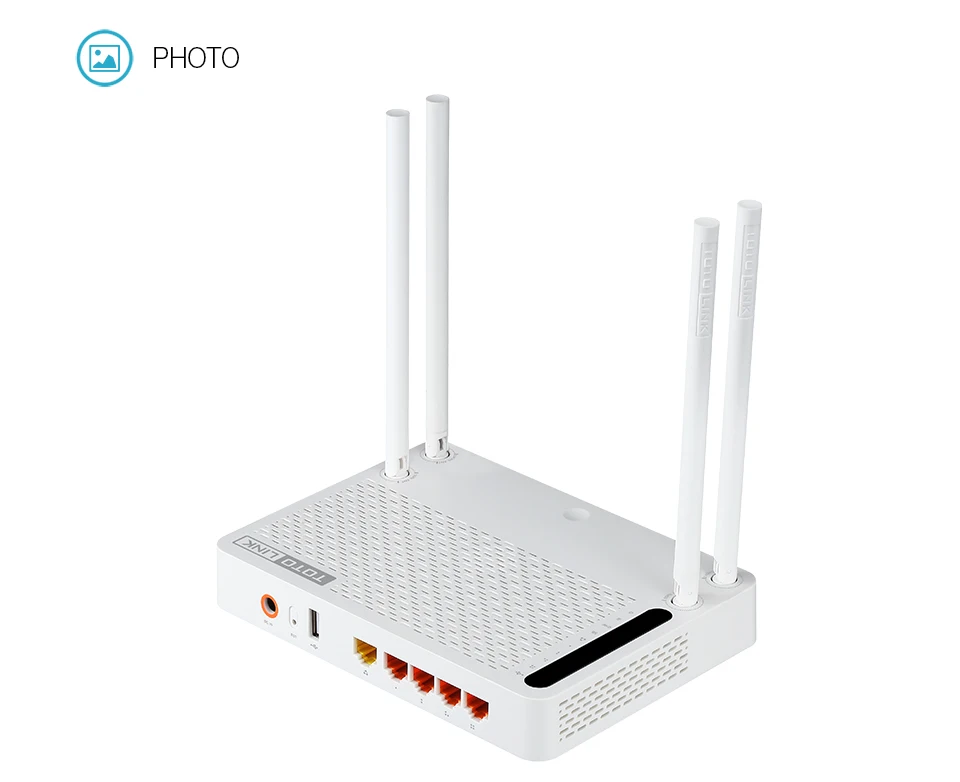
Fast wi-fi and ethernet. The usb port is only usb2 though.
It cost US$41.15 including delivery to Australia by "Aliexpress
Standard Delivery", and they also have an AU (Australian) Power plug. I
opted for the "full package", would have saved a couple of dollars
without (the full package would be the retail box).
As I am embracing local networking, and getting into using Samba, looking forward to using this router.
Tags: tech
Toto Link wifi/ethernet router/repeater
In the Puppy Forum thread where we are testing Quirky Pyro64 0.6,
it was reported that Samba is not working. I wasn't much help, as I had
to admit that I have never used Samba. A bit embarrassing really,
considering what I "do".
Yesterday, decided that the time has finally arrived when I would
setup Samba. First though, I need a little local network. I access the
Internet via my mobile phone, no land line. So, wifi tethering turned on
in my Android phone, no problem connecting to the Internet for any of
my PCs.
I did wonder whether the phone itself could be used as a local wifi
network. That is, each of the PCs connected to the phone being able to
share files between each other. I have read conflicting reports about
whether that is possible.
Anyway, I have an old router, have put it back in service. This is a Toto Link N100R+ V2, picture here:
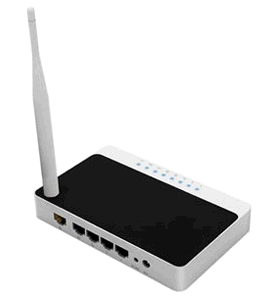
This is old technology, 150mb/s wifi, 100mb/s ethernet, but OK for now. My model is no longer sold, the latest is N100RE:
http://www.totolink.net/sub/product/detail.asp?product_num=100079
On my desk there are two PCs, my midi-tower and Mele mini-PC. The
latter dual-boots Linux and Windows 10, so I plugged it into "LAN1" on
the N100R and powered up, then went to the "http://192.168.0.1" in my
browser. Default login is "admin", "admin".
I clicked "Operation Mode" then the "Wireless ISP" radiobutton. Then
clicked "Wireless" from left side, then "Basic Settings" and the
"ScanAP" button. It detected my phone SSID and chose "WPA2-PSK" and
"CCMP", and entered the password. That's it, had Internet access!
On the Win10 mini-PC, was now connected to the Internet via ethernet.
In the "Setup", looked around a bit, but basically just enabled "Turn
on network discovery" and "Turn on file and printer sharing".
For the midi-tower, plugged an ethernet cable into "LAN2" on the
N100R, and fired up Quirky Xerus64. Fiddled around a bit, but
essentially just ran 01micko's Samba Simple Management.
Over on the Win10 machine, in the file manager, there is "Network" on
the left side. Clicked that, then right-clicked on the right-side and
chose "Refresh". Yay, got "PUPPYPC11067", which is my midi-tower.
Clicking on that, it asked for username and password, which is "root"
and "woofwoof".
Next step is to get it going on Quirky Pyro64...
Optus Prepaid Ultimate Plus
I have been lamenting how quickly I churn through my AU$40 6GB prepaid data. However, I discovered that I am on an old prepaid plan, "Prepaid Ultimate", whereas Optus is now touting "Prepaid Ultimate Plus". I found that I had to manually upgrade.
Here are the details:
http://www.optus.com.au/shop/mobile/prepaid/plans#datatab1
I probably don't qualify as a "new customer", so don't get that one-time bonus data. But, for AU$50 get 10GB per 28 days. I can manage with that.
Data rollover too, that is nice, for those months when I use less data.
Hey, I wonder what they will call the next one? "Prepaid Ultimate
Plus Extreme"?
Tags: tech
Mele PCG35 Apo works well
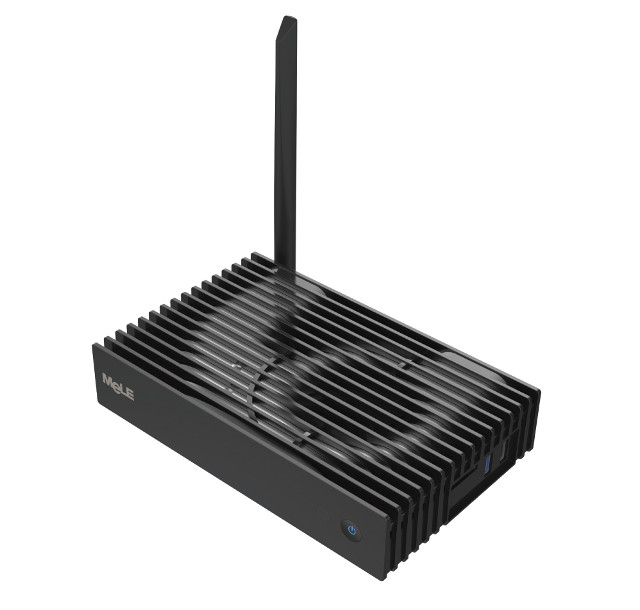
I purchased this mini-PC recently, and I am pleased to report that everything works. I am pleasantly surprised how fast it is -- Windows 10 also is very snappy. I am running Easy Linux, and all interfaces work.
I purchased it for US$179 including international postage, from the Mele store:
it has the Intel J3455 CPU, which is the fastest of the Apollo Lake series, power dissipation rating is 10W. I notice competitors using a slower CPU and yet costing more.
The chap at CNX Software has done an unboxing review:
So far, I have written two tutorials on installing Linux, especially Easy Linux, on a PC, using the PCG35 as a case study:
http://bkhome.org/linux/prepare-your-computer-for-booting-linux.html
http://bkhome.org/easy/how-to-install-easy-os-on-your-hard-drive.html
Everything works. I tested wifi, ethernet, SD-card, sound, all OK. Wifi was missing firmware, which I got from here:
I haven't tested bluetooth, but I see from dmesg that the firmware loaded ok.
I am running Easy on it right now. There is an error message in /tmp/bootsysinit.log, about a syntax error:
/etc/init.d/start_cpu_freq: line 14: [: too many arguments
Line 14 runs dmidecode, which returns the requested BIOS/UEFI release date, but also appends an error message. Testing in a terminal:
# dmidecode -s "bios-release-date" 2>/dev/null
08/08/2017
Invalid entry length (0). DMI table is broken! Stop.
I have fixed the script to ignore that error message.
It is great to have a silent PC. I usually run my middy-tower, with fans all over it, and it sounds like an aircraft taking off. Right now, I can hear a noise, it is the 3.5 inch 4TB USB drive that is plugged into the Mele -- surprising how noisy that is.
So, very pleased with the Mele. If I have to make any negative comment, it would be my initial disappointment that the fins are plastic! From the advertising blurb and pictures, I expected them to be alloy. There is, however, a large metal-plate heatsink kind of under the fins, which works ok -- not putting the CPU to much work right now, and it is reading 32 degrees C, which is fine. Room air temp is lowish today, probably a tad under 20. It will be interesting to give the CPU chip a heavy workload and observe the temperature rise.
Tags: tech