
 site
site contact
 news
newsROX-Filer image thumbnails size limit
We have been on a roll recently, enhancing ROX-Filer, especially due to forum member l0wt3ch. He has now implemented a size limit on image thumbnails, also removed some buttons to URLs that no longer exist.
If you right-click on a desktop icon, there is a menu, choose "ROX-Filer -> Options... -> Thumbnails" and this will appear:
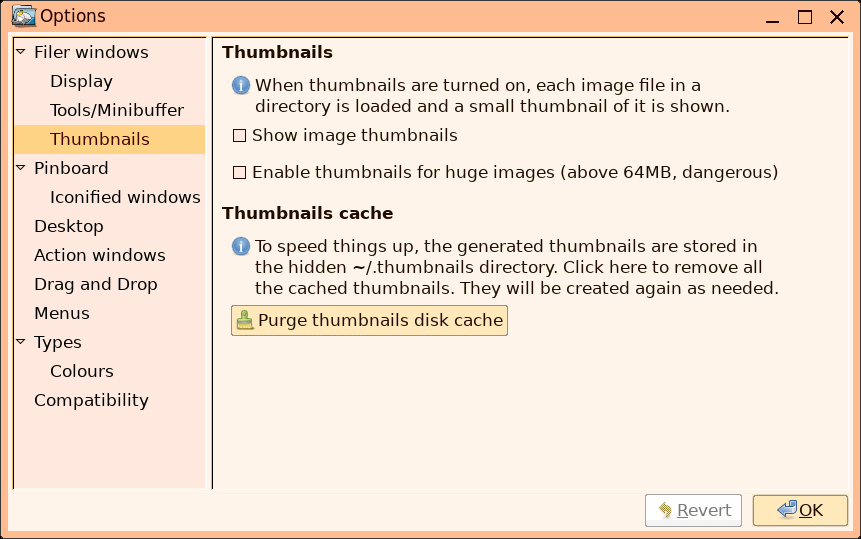
...there were previously two buttons to non-existent URLs. Now, there is a new checkbox, to enable thumbnails for image files over 64MB. The problem is, ROX consumes a huge amount of RAM, and time, trying to create a thumbnail for a very large image file.
Notice the "Show image thumbnails" checkbox. It defaults to off,
but on the ROX window there is an "eye" icon; right-click on that
to toggle thumbnails on or off, on a per-window
basis.
Tags: easy