
 site
site contact
 news
newsEasyClone alternate build path and progress
EasyClone is introduced here:
https://easyos.org/install/how-to-clone-a-easyos-installation.html
Forum member pp4mnk suggested it would be helpful to have a progress indication while the "EASYCLONE" file is being created. Forum member oliverjames wants an alternative path in which to build "EASYCLONE", if insufficient space in the working-partition. Discussion here:
https://forum.puppylinux.com/viewtopic.php?t=16721
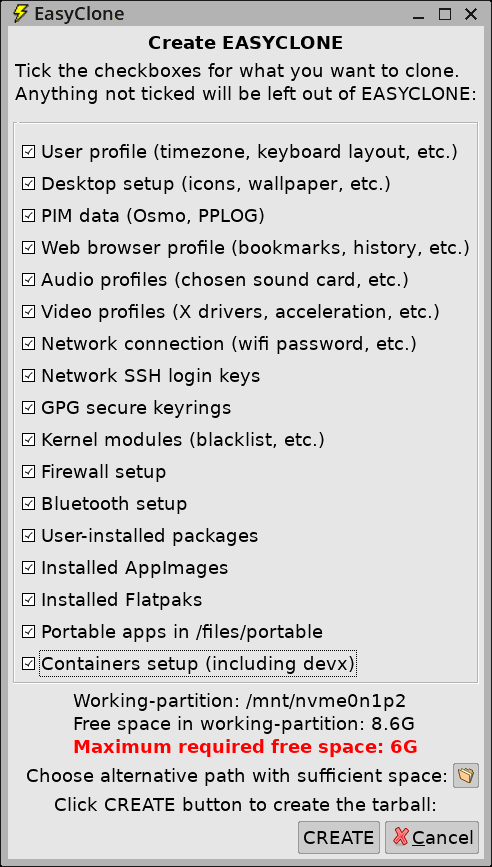
I have implemented both. There is now a button to bring up a dialog window to choose an alternative path, see near bottom:
While creating EASYCLONE, there is a window on the desktop that has lines appended as the build progresses. Here it is at about 90%:
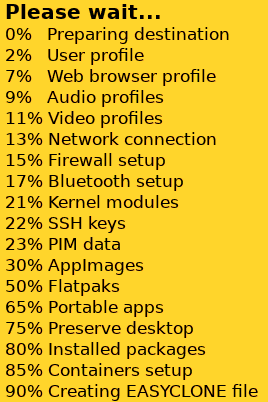
...this makes use of the 'popup' utility, which has the ability to append lines.
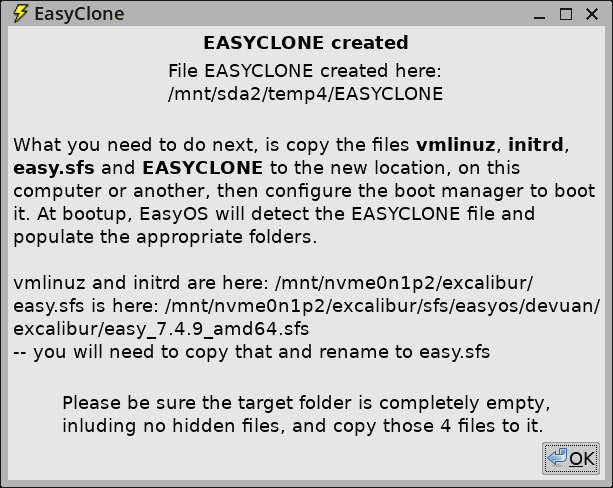
Here is the final window, showing the path, in a "temp4" folder where I chose to build EASYCLONE:
EasyClone is proving to be popular, this takes the usability up a
notch.
Tags: easy