
 site
site contact
 news
newsImprovement for SFSget UI
October 26, 2026 —
BarryK
SFSget is the SFS (squashfs files) manager, launched via the desktop "pkg" icon, or in the "Setup" category of the menu.
It is not intuitive when want to manage already-downloaded SFS files, say one that you have used SFSget to install, but then you want to uninstall it. Install and uninstall can be managed via the BootManager (in the "System" category on the menu). This split-up does make SFS management a bit un-intuitive.
To help link them, I have added a frame at the bottom of the first window that SFSget displays:
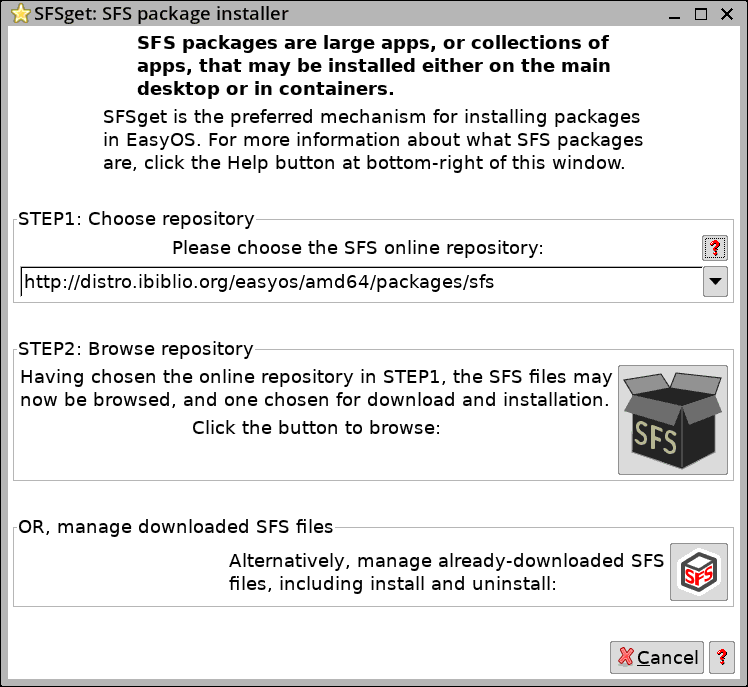
Clicking that bottom button will launch the BootManager:
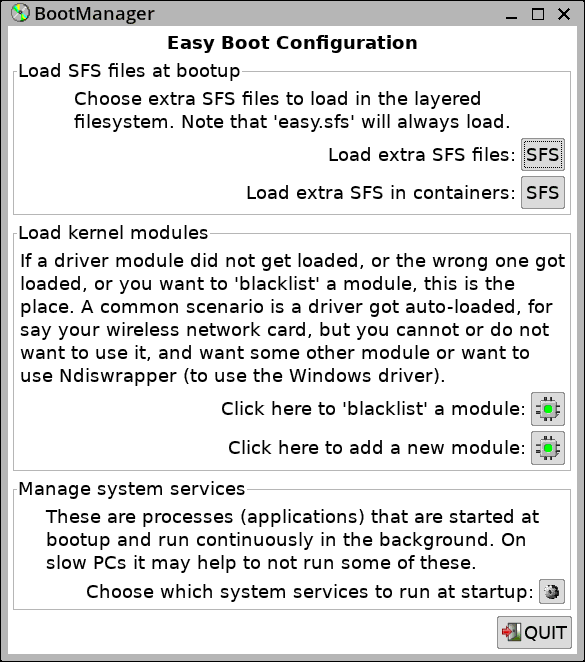
...which has "SFS" button to manage install and uninstall on main
filesystem and in containers.
Tags: easy