
 site
site contact
 news
newsCUPS new printer popup help
There is a bug in the version of CUPS in Debian Trixie, as reported last year:
https://bkhome.org/news/202511/workaround-to-fix-printer-setup.html
When someone chooses from the menu "Setup -> CUPS Printer Setup", they might not have seen that blog post, well, highly likely they wouldn't have seen it, so when they see this:
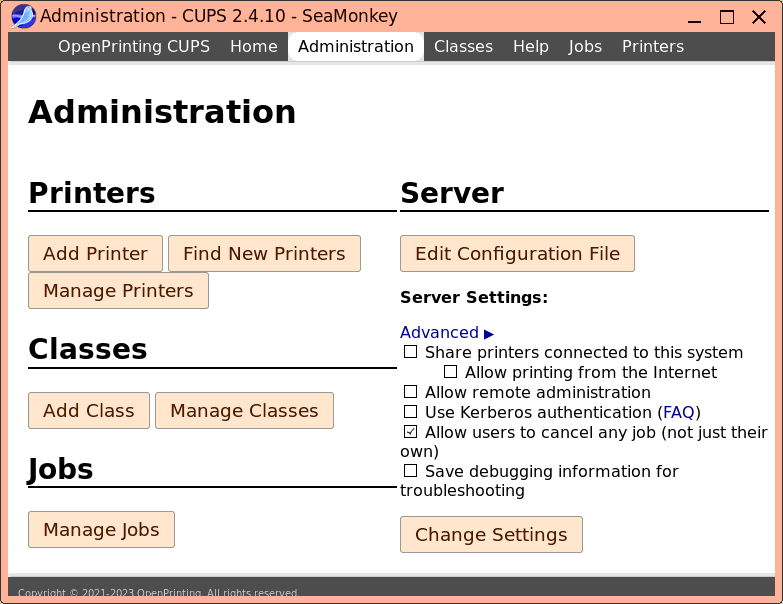
...the natural thing will be to click on the "Add Printer" button. Which is not good; instead, they must first click on "Find New Printers".
Consequently, I have edited /usr/sbin/cups_shell to put up a message at the top-centre of the screen. The code is:
case "${LANG/_*/}" in
 da) M1='For at konfigurere en printer skal du klikke på knappen <b>Find nye printere</b>' ;;
 de) M1='Um einen Drucker einzurichten, klicken Sie bitte auf die Schaltfläche <b>Neue Drucker suchen</b>' ;;
 es) M1='Para configurar una impresora, haga clic en el botón <b>Encontrar nuevas impresora</b>' ;;
 fr) M1='Pour configurer une imprimante, veuillez cliquer sur le bouton <b>Trouver de nouvelles imprimantes</b>' ;;
 ja) M1='プリンターを設定するには、<b>新しいプリンターの検索</b>ボタンをクリックしてください。' ;;
 pt) M1='Para configurar uma impressora, clique no botão <b>Encontrar novas impressoras</b>' ;;
 ru) M1='Для настройки принтера нажмите кнопку <b>Найти новый принтер</b>' ;;
 *) M1='To setup a printer, please click on <b>Find New Printers</b> button' ;;
esac
popup "background=#ffa0ff level=top name=cupsui placement=top-middle terminate=12 timecount=dn|<big>${M1} </big>"
...the CUPS web interface only supports those languages, and I found the exact name of the "Find New Printers" button for each language. This is what it looks like:

A small thing, but helpful for a newcomer who might otherwise
become confused with setting up a printer.
Tags: easy