
 site
site contact
 news
newsEasySR screen recorder
I used EasyCast to record the first video in the EasyOS series on YouTube. I managed to get away with it in the first video; however, tried another recording and it is awful. EasyCast leaves artifacts all over the screen, and incomplete rendering of windows.
Here are blog posts about EasyCast:
"EasyCast screen recorder fixed"
https://bkhome.org/news/202606/easycast-screen-recorder-fixed.html
"EasyCast 2.0 screen recorder"
https://bkhome.org/news/202203/easycast-20-screen-recording.html
It uses the 'recordmydesktop' CLI utility, which is just not good enough. However, there is an alternative method of screen recording that works remarkably well; ffmpeg's "x11grab" feature.
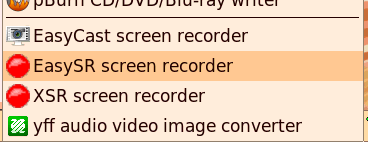
Getting on to 3.30am, but got it done; have written a new screen recorder app called EasySR. It is in the "Multimedia" menu:
I have kept the options very simple, with the intention of making recordings suitable for uploading to YouTube:
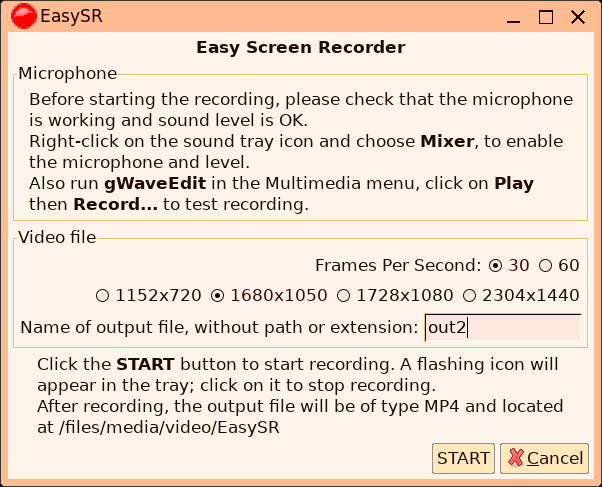
Decided not to manipulate the video proportions; ffmpeg will record at the native screen resolution, and scale so as to keep the video proportions. YouTube will accept this.
In the above snapshot, "1680x1050" is the native resolution of my
Zenbook screen, and this is automatically selected as the default.
So, if that is selected, ffmpeg will not have to scale the video.
After clicking the "START" button, recording begins and there is a flashing red ball in the tray:

...click on the red ball, stops recording, and there is a completion message:

A great thing is that there is no post-processing; ffmpeg
generates the MP4 video on-the-fly, so as soon as click the red
ball, the completion message appears. I have only tested on my
Zenbook laptop; don't know how well on-the-fly processing will
work with an older CPU. Probably the frames per second will drop.
Tags: easy