
 site
site contact
 news
newsNew easy-to-see mouse cursors
One thing I realised when creating the first video for a proposed series on EasyOS in YouTube, is that it is difficult for the viewer to see where the mouse is pointing. Specifically for the videos, want a big and very easy-to-see mouse pointer; well, this is going to interest many users also.
Easy has an xcursor creation tool, in the menu "Utility -> SXC Simple Xcursor Creator"; however, got some ready-made ones from here:
https://futurehorizondesign.net.au/portfolio/hackneyedhighcontraststaticcursors.html
These are very nice. For the next video, intend to use the magenta 48 pixel xcursors; here is the pointer:
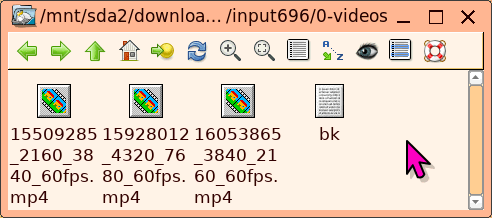
Like these so much decided to add some builtin. So in the next release of Easy, the menu "Desktop -> SXS Simple Xcursor Selector" will have these:
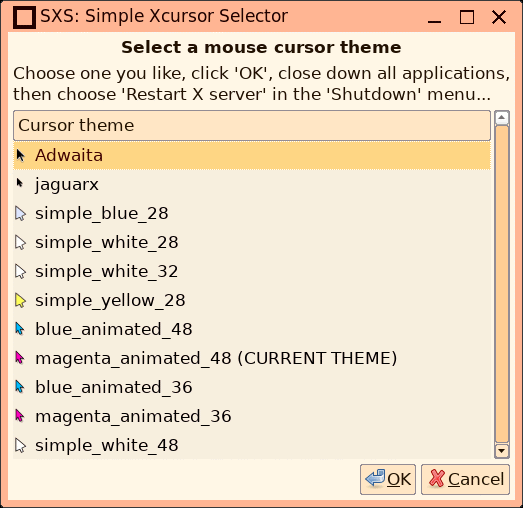
Note, I wrote about SXS and SXC before:
"Simple Xcursor Creator and Selector is back"
https://bkhome.org/news/202511/simple-xcursor-creator-and-selector-is-back.html
"Easy-to-see mouse pointer"
https://bkhome.org/news/202307/easy-to-see-mouse-pointer.html
I think, for my own daily use, the magenta 36 pixel xcursor set is great.
EDIT 2026-06-18:
Have added this variable to /root/.packages/default-theme:
#20260618 xcursor themes are in /usr/share/icons
# exs: blue_animated_36 blue_animated_48 magenta_animated_36 magenta_animated_48 simple_blue_28 simple_white_28 simple_white_32 simple_yellow_28
DEFAULT_THEME_XCURSOR='magenta_animated_36'
In woofQ2, script '4post-process-rootfs', have inserted this:
if [ -n "$DEFAULT_THEME_XCURSOR" ];then
 mkdir -p rootfs/usr/share/icons/default
 echo "[Icon Theme]
Inherits=${DEFAULT_THEME_XCURSOR}" > rootfs/usr/share/icons/default/index.theme
fi
Looking good.
Tags: easy