
 site
site contact
 news
newsEasyOS Excalibur-series version 7.4 released
Firstly, an announcement blurb; split into a generic statement
and a version-7.4-specific statement.
Generic statement, extracted from the 7.0 release announcement:
Compared with prior releases of EasyOS, the Excalibur-series
is a "whole new ball game". All prior EasyOSs were built with
woofQ; Easy Excalibur is built with woofQ2, that is a redesign
of woofQ based on Debian's APT underpinning all package
management. Easy has PKGget, a package manager GUI, that is able
to install all kinds of packages, such as .deb, .txz, .rpm and
.pet; that chameleon-like ability is retained, but now PKGget is
a wrapper on top of APT. So now PKGget and APT talk to each
other, and even if utilities such as 'apt' and 'apt-get' are
used in a terminal, it will automatically sync in PKGget.
Easy Excalibur is built with Devuan Excalibur packages,
equivalent to Debian 13 Trixie, but without systemd. Instead,
EasyOS uses the simple busybox init, enhanced with pup_event
service management.
EasyOS has inbuilt containers support, known as "Easy
Containers" and this is taken to the next level. In particular,
there is now a pre-created container named "devx" that has
everything for a compiler/development environment. Like all Easy
Containers, "devx" runs just by clicking a desktop icon, and the
user can flip between any of them with single clicks.
Easy Excalibur is big, the download is around 1GB; and it
takes EasyOS's habit of "including the kitchen sink" to the next
level. Not just the Chromium browser, also the SeaMonkey browser
suite is included, builtin. And of course all the usual guys,
such as SMPlayer, Inkscape, Gimp, SolveSpace, LibreOffice,
HomeBank, YRadio, Osmo, NoteCase and Audacious. As well, lots of
utility and support apps, such as GParted, Blueman,
NetworkManager, gFTP, YouTubeDL, and dozens that are found only
in the Puppy-family or exclusively in EasyOS.
Announcement specific to 7.4 and releases leading up to 7.4:
Version 7.4 is a "milestone" release, consolidating EasyOS as supporting "legacy" software architectures, including Xlibre xorg server and gtk2-ng.
We are committing to ongoing support, updating and enhancing, of gtk2-based applications; including ROX-Filer, that has undergone many fixes and improvements, such as memory-leak fix, back-forward history buttons, and video thumbnails.
We adhere to the Unix philosophy of "do one thing and do it
well", which is why we do not use systemd; instead EasyOS uses
busybox init, with pup_event service management. We also look to
simplify wherever possible, which is why EasyOS does not have
policykit, pam or avahi. Version 7.4 continues refining the
underlying "plumbing", with numerous behind-the-scenes fixes and
enhancements.
We continue to refine and improve the inbuilt package collection, as usual including the "kitchen sink". For example, we have replaced the Celluloid media player, which has been troublesome, with SMPlayer and VIDplay (a chromium-based video player). Other refinements include replacing StreamTuner2 Internet radio player with YRadio.
Having the "kitchen sink" builtin means that we want to have applications builtin to satisfy 99% of users. One niche area is a simple database application; this gap is now filled by Symphytum.
Lots of utility applications have been fixed and improved, including EasyCast screen recorder, DropboxGUI dropbox.com file manager, improved optical drive handling and fixes for pBurn CD/DVD burner app. The list goes on.
The Linux kernel is now at 6.12.92, and finally, Sound Open
Firmware (SOF) is enabled. We had so much trouble with it in the
past, and stayed with the legacy sound drivers. However, very
modern computers may require SOF and we are pleased to get it
working.
Various printing enhancements, including drivers for all of
the Phomemo thermal printers.
The online release notes document all changes since 7.0:
http://distro.ibiblio.org/easyos/amd64/releases/excalibur/2026/7.3/release-notes.htm
For newcomers to EasyOS, recommend a quick read of this page, that itemizes how and why EasyOS is different from any other Linux operating system:
https://easyos.org/about/how-and-why-easyos-is-different.html
Also for newcomers, we have started a YouTube series on EasyOS. The first video is here:
"EasyOS Part1: Introduction"
https://www.youtube.com/watch?v=vEYtxwwv644
If you would like to browse though recent posts on the development blog, here are posts since version 7.3.9:
- VIDplay Chromium MP4 and WEBM video player — June 14, 2026
- ROX-Filer image thumbnails size limit — June 14, 2026
- YRadio replaces StreamTuner2 — June 13, 2026
- Default media player mpv not EcoTube — June 12, 2026
- EcoTube missing icons fixed — June 12, 2026
- Symphytum simple database — June 12, 2026
- EasyOS introduction video on YouTube — June 11, 2026
- EasyCast screen recorder fixed — June 10, 2026
- DropboxGUI file manager fixed — June 10, 2026
- FlatOrange desktop icon theme updated — June 10, 2026
- gtk2-ng introspection compile fix — June 09, 2026
Posts since version 7.3.8:
- EasyOS built with gtk2-ng — June 08, 2026
- ROX-Filer video thumbnails — June 08, 2026
- Kernel 6.12.92 compiled with SOF enabled — June 07, 2026
- Alternative method to build EasyOS with Xlibre — June 05, 2026
- Xlibre video drivers compiled in EasyOS — June 05, 2026
- Xlibre input drivers compiled in EasyOS — June 05, 2026
- Xlibre server and drivers compiled in EasyOS — June 05, 2026
Download
EasyOS ships as a drive-image file, not as an ISO. Download from here, courtesy of ibiblio.org:
http://distro.ibiblio.org/easyos/amd64/releases/excalibur/2026/7.4/
A mirror in the USA, courtesy of Linux User Group at UMBC (thanks to amerrym1, see forum):
https://mirror.lug.umbc.edu/easyos/amd64/releases/excalibur/2026/7.4/
Fast mirror in Europe courtesy of NLUUG:
https://ftp.nluug.nl/os/Linux/distr/easyos/amd64/releases/excalibur/2026/7.4/
Australia, courtesy of aarnet:
https://mirror.aarnet.edu.au/pub/easyos/amd64/releases/excalibur/2026/7.4/
Documentation
If you know about ISO files, not drive-image files, they are
quite easy to install. Either write to a USB-stick (flash drive)
and boot that, or open it up and copy the files into an internal
drive. There are tutorials that explain these choices, such as
this one to install to an internal drive:
https://easyos.org/install/easy-frugal-installation.html
Or, to a USB-stick (or any complete drive):
https://easyos.org/install/how-to-write-easyos-to-a-flash-drive.html
...recommend use a good quality USB-stick, such as Sandisk Ultra
or Sandisk Extreme, at least 16GB. Even better, an external SSD.
Easy since 7.0 has had basically the same muted bluish theme, with nature-scenes wallpaper. Was getting a bit bored with it, so dreamed up something totally different for 7.3+. You might find this a bit less restful on the eyes than muted-blue:
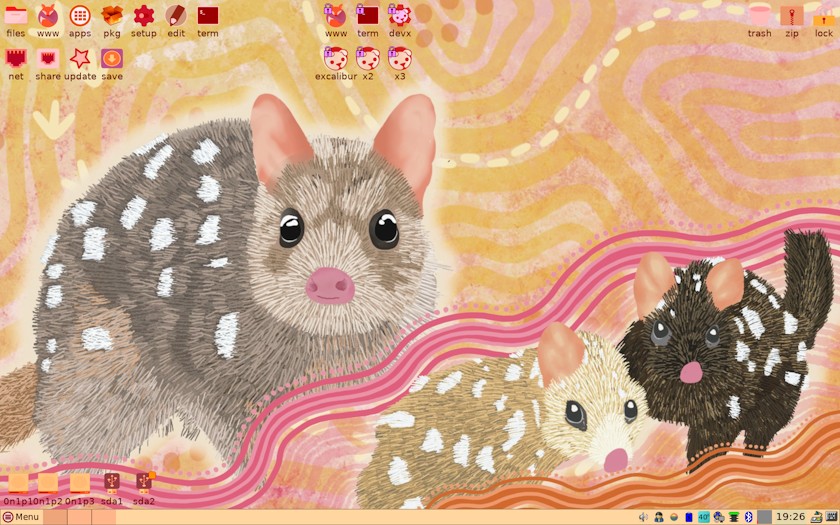
High-resolution, 1680x1050 pixels, is here.
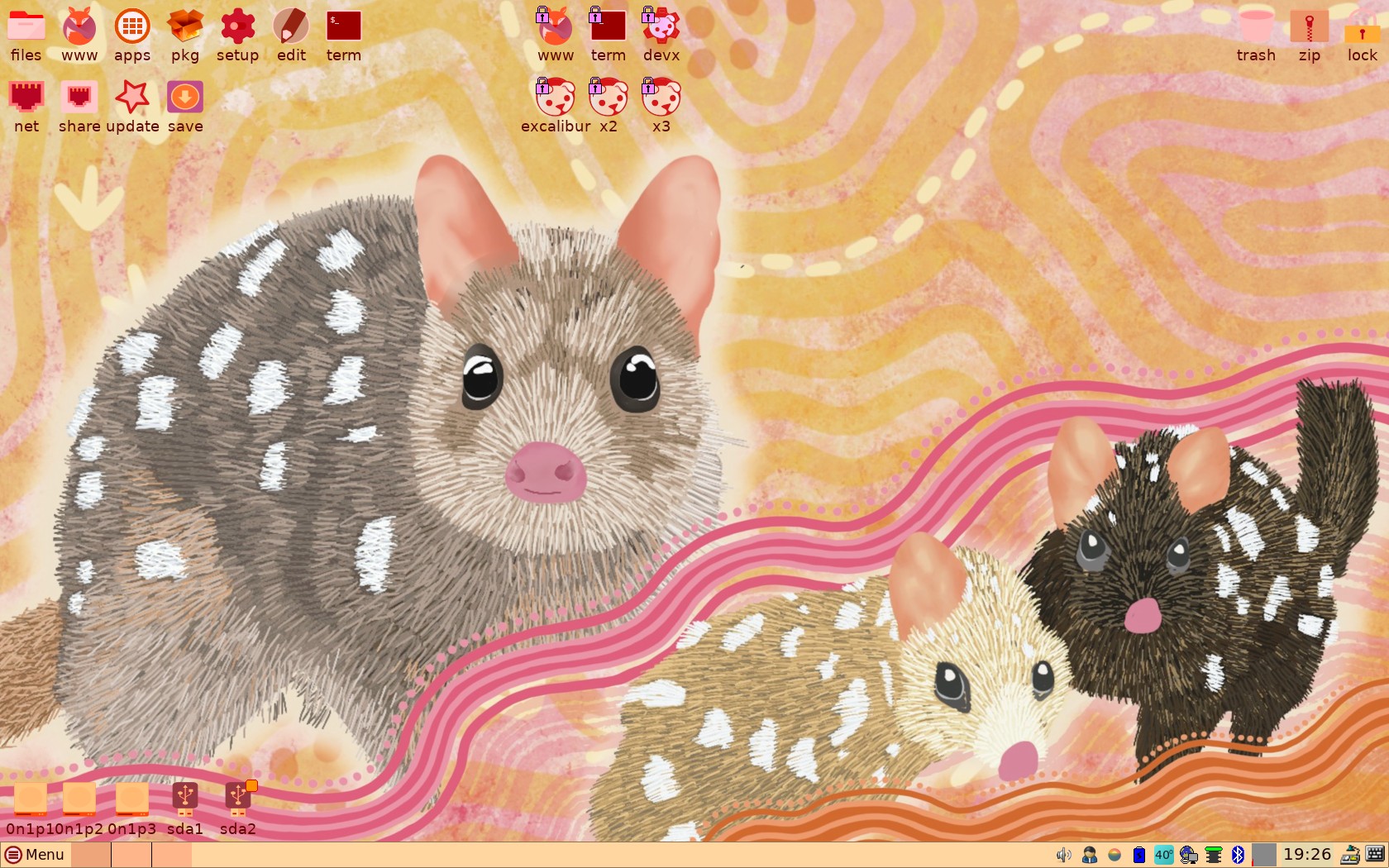
The wallpaper was created by Australian Aboriginal artist Sarah Levett, see here.
Might end up going back to a more muted theme, especially as will be taking lots of photos soon in the Australian countryside, that will be likely wallpapers. But for now, this orange-brown-red theme is OK.
Feedback welcome at the forum. Any issues encountered, there are guys keen to help:
https://forum.puppylinux.com/viewtopic.php?p=172251#p172251
Have fun!
EDIT 2026-06-20:
EasyOS version 7.4.1 released, see blog post:
https://bkhome.org/news/202606/easyos-excalibur-series-version-741-released.html
Note, future releases will not be appended here; please read the blog to find announcement of latest version.
Tags: easy