
 site
site contact
 news
newsNew Ordro EP8 wearable video camera
The original post, when I was looking at what is available, wearable video camera that mounts about head-height, or even better, eye-height:
https://bkhome.org/news/202202/light-weight-wearable-head-action-camera.html
I purchased the Hawk Eye Firefly Q6, partly because it is very cheap, something to play with:
https://bkhome.org/news/202202/hawk-eye-firefly-q6-user-manual.html
...an extra comment about the Q6; it gets very hot when recording. Incredibly hot, I am very surprised. My phone can record video without heating up so much. Must be a huge drain on the battery -- I recall, reviewer saying 1080p at 60Hz for 40 minutes -- if I recall rightly -- which isn't too bad.
Another extra comment about the Q6: it works really great with
low light levels, surprisingly good indoors. I did comment in a
previous post that it is fixed-focus, but somehow it had sharp
images quite close up. I don't know how they do that --
smartphones can also give sharp images close up. By "close up", I
mean a few feet away. Actually, my Huawei smartphone can take
sharp photos just a few inches away.
Yesterday an email arrived in my inbox announcing release of the Ordro EP8:
https://ordro.online/products/ep8-camcorder
...my email came with a 8% discount code.

The Q6 has electronic image stabilization (EIS), with a gyro chip, which I found to be an improvement over no stabilization, but still could do with improvement. The EP7 has single-axis gimbal stabilization, vertical only, if I recall rightly. The EP8 ups the ante with dual-axis gimbal, that is, both vertical and horizontal stabilization.
The EP7 was criticized as having poor low-light performance, and that limitation seems to have been addressed. Many Chinese manufacturers stretch the truth with specifications, and 4K@60Hz may not be true -- it may be "emulated". The specs show up to 20 megapixel resolution, but actual physical resolution of the image sensor is likely to be much lower.
Ordro do not give the actual chip number, just state the sensor is "Sony 1/2.8 Starvis". Well, that does narrow it down somewhat:
https://www.sony-semicon.co.jp/e/products/IS/security/technology.html
https://www.sony-semicon.co.jp/e/products/IS/security/product.html

...as far as I can make out, the sensor would be 8MP, if it is
true 4K@60Hz.
Keen to see some reviews!
Tags: tech
Hawk Eye Firefly Q6 User Manual
It arrived a couple of days ago -- what a fun little camera! Previous blog posts:
https://bkhome.org/news/202202/light-weight-wearable-head-action-camera.html
https://bkhome.org/news/202202/replacement-lenses-for-firefly-q6-action-camera.html
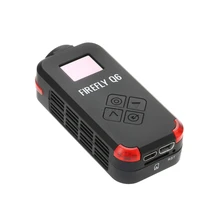
There is a tiny User Manual, that requires a magnifying glass to read. However, I found it online:
https://www.manualslib.com/manual/1657244/Firefly-Q6.html
In addition, I have created a table with photos of each of the setup options:
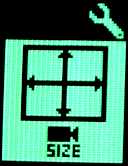 |
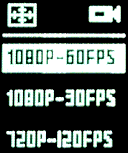 |
Video Video resolution: select from 4K@24fps, 2.5K@30fps, 1920x1440@30fps, 1080p@60fps, 1080P@30fps, 720P@120fps, VGA@30fps |
 |
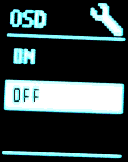 |
On Screen Display: shows
information on TV, such as when recording. |
 |
 |
LED lights: ON, OFF. |
 |
 |
Beep: ON, OFF. |
 |
 |
Angle adjustment: LARGE,
MIDDLE. Smaller angle will reduce image distortion,
achieved by cropping the image. |
 |
 |
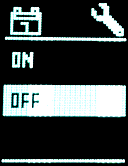
Power-off when charging. |
 |
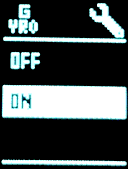 |
Video Gyro image stabilization: If ON, a gyro-chip detects movement and shifts the picture to compensate. This is the same as EIS (Electronic Image Stabilization). |
 |
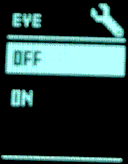 |
Fish eye effect: If ON,
reduce distortion due to wide-angle lens. |
 |
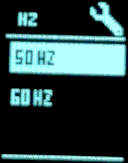 |
Electricity frequency. 60HZ
for USA and Canada, 50HZ for most of the rest of the
world. I think this is to remove strobing effect with
light sources. |
 |
 |
TV output mode: PAL, NTSC.
Australia has the PAL standard, USA has NTSC. |
 |
 |
Time stamping: If ON, videos
and photos will be time-stamped. |
 |
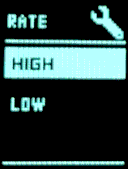 |
Data rate adjust: HIGH data
rate has more detail but file size is bigger. |
 |
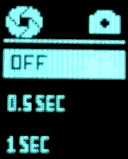 |
Photo Long exposure: OFF, 0.5SEC, 1SEC, 2SEC, 5SEC, 10SEC, 20SEC, 30SEC, 60SEC. Intended for night use, camera mounted on a pedestal to hold steady. |
 |
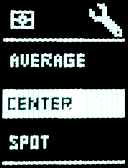 |
Metering adjust: AVERAGE,
CENTER, SPOT. |
 |
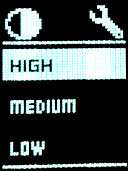 |
Image contrast: HIGH, MEDIUM,
LOW. |
 |
 |
Exposure: HIGH, MEDIUM, LOW.
Lower value makes more detail, but the image will be
darker. |
 |
 |
Color adjustment: STANDARD,
VIVID. If the video or photo will have post-production,
recommend STANDARD. |
 |
 |
Sharpness adjustment: HIGH,
MEDIUM, LOW. LOW is recommended at night. Usually, MEDIUM
level is recommended. |
 |
 |
ISO adjustment: AUTO, 100,
400, 1600. Lower value gives better image quality, but may
need to hold camera steady. Recommend AUTO. |
 |
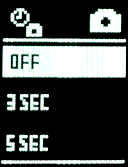 |
Photo Continuous photo: capture photos continuously every 3, 5, 10, 30 seconds. |
 |
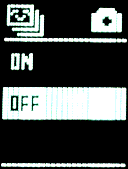 |
Photo Burst capture: 11 photos in one second. |
 |
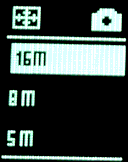 |
Photo Photo resolution: 16MB, 8MB, 5MB. Recommend choose 16MB. |
 |
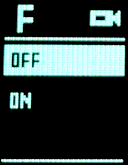 |
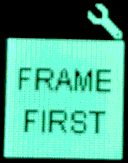
Video Frame rate first: OFF, ON. When ON, the frame-rate will not drop. When on, the frame-rate will change according to the environment and it will save power. |
 |
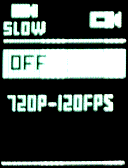 |
Video Slow motion movie: If on, will capture slow-motion video. |
 |
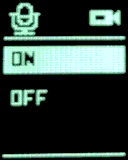 |
Video Record audio. |
 |
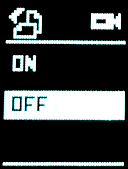 |
Image rotate: rotates the
image 180 degrees. |
 |
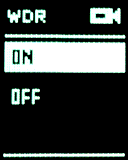 |
Wide Dynamic Range: is
suggested to be used in cloudy/dark environment. It might
cause over-exposure on sunny days. |
 |
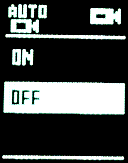 |
Video USB-power auto-record: when ON, will automatically start recording when connected to external power source via USB cable. |
 |
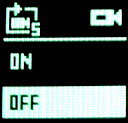 |
Video Cycle recording: If ON, the video will be cut into 5-minute segments. The earliest files will be overwritten when the SD-card is full. Suggest use this for vehicle monitoring. |
 |
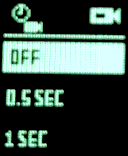 |
Video Time-lapse video: at 0.5, 1, 3, 5, 10 second intervals |
...the second column has the settings currently on my Q6.
I have inserted explanation of each setup item, but some could probably have more detail. A couple of them, I am not really sure if my explanation is correct or adequate.
Of great interest to me is the gyro image stabilization. The Q6 has a "gyro chip" that detects movement, and moves each frame to compensate for sudden movements. This is also known as EIS (Electronic Image Stabilization), though apparently one does have to be wary of a camera that might claim to have EIS, but does it purely in software, without a "gyro chip".
I have taken the Q6 for a walk, just held in the hand, testing with and without gyro enabled. It sure does help, but there is still some jerkiness. I don't have any point of reference here, first time that I have tested a video camera specifically with EIS, so don't know what is good or bad.
I have the 90 degree distortionless version of the Q6. I did read
somewhere, a user reported that the 120 degree wide-angle version
has better image stabilization.
Hey, maybe I should create a video for YouTube!
I am of course overlooking something: my Huawei smartphone. These
days, smartphones, even fairly cheap ones around $250, have
incredible optics. OK, will take that out and see how it's EIS
performs.
Tags: tech
Replacement lenses for Firefly Q6 action camera
I posted about the Firefly Q6 yesterday:
https://bkhome.org/news/202202/light-weight-wearable-head-action-camera.html
Today I watched a video of a guy replacing the lens on the Q6 with a telephoto lens:
https://www.youtube.com/watch?v=kb6YHAVHNI8
Very interesting. I know nothing about these types of lenses; however, found a "white paper":
M12 Lenses: White Paper
https://files.ecommercedns.uk/230067/a663ee6c8cdb1e6620b34023e3516892.pdf
Excellent, answers many questions.
The lens should match the sensor. OK, the Q6 has a Sony IMX078 12.4 megapixel CMOS sensor:
http://modsynergy.com/Modsynergy%20files/EKEN%20H8/imx078cqk.pdf
So if we want, for example, a lens for close-up work, it should be possible to use this knowledge to choose the right one. There are lots available online, for example:
...fascinating!
Tags: tech
Light-weight wearable head action camera
Now that there is a working video editor in EasyOS, I am interested in creating videos while hiking. Post about the Pitivi video editor:
https://bkhome.org/news/202201/pitivi-runs-great-very-easy-to-use.html
There are lots of wearable action cameras, but my particular interest is a hands-free setup. Even more particular, head-mounted, so the camera looks wherever I look.
There are lots of solutions for this, most of them very cumbersome, with head straps. However, there are a couple that mount at eye-height, such as the Ordro EP7:
https://ordro.online/products/camcoder-ep7
The camera, without the frame, weighs 55 grams. As many have
reported, the head-band is a tight fit and may be uncomfortable.
Audio right into the ear is too loud.
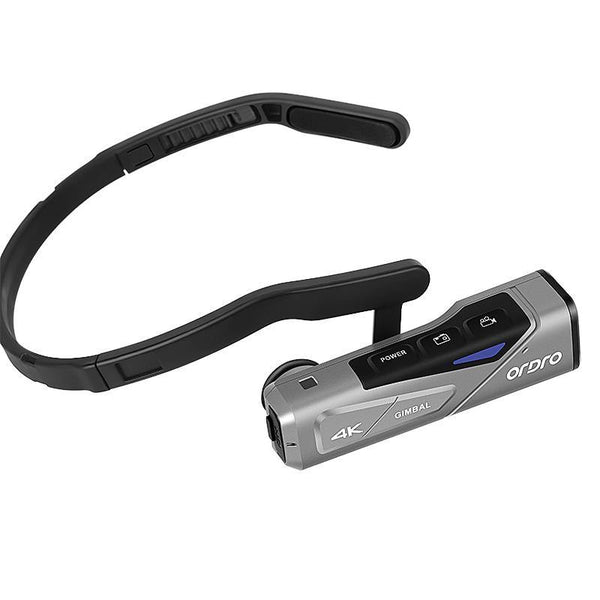
Also, it seems that video quality is not the best, colours a bit washed out. A lot of reviewers on YouTube reckon it is great. Here is a comparison video, comparing with a Go Pro camera:
https://www.youtube.com/watch?v=9sS0IGDL474
...the colour-range of the EP7 might look OK to many, but for my eyes it doesn't come up to the Go Pro standard. Go Pro is the reference, the highest quality product, also very expensive.
I really do like the concept of a camera mounted at eye-level, that follows wherever you look. Recently, I hunted around on the Internet and found this:
https://www.indiegogo.com/projects/cleep-pro-the-smallest-4k-wearable-camera#/
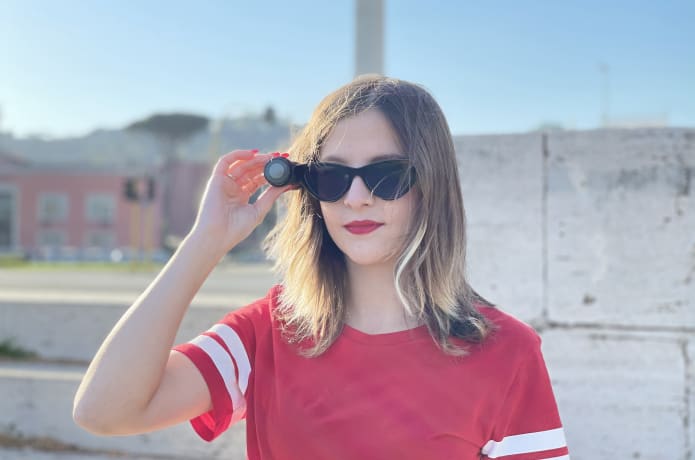
...only 35 grams, and it will do 1080p @ 60fps which is what I want. The price is probably plus postage.
There have been similar sunglasses-mounting video cameras in the past, no longer available. But, this set me off on a train of thought ...cameras that mount on drones.
Yes, there are video cameras that mount on drones, designed to be extremely light-weight. I found several of them online, and eventually ordered this one:
https://www.aliexpress.com/item/4001158333805.html
I found from the manufacturer's site that it is a f2.8 lens. All of these action cameras are fixed-focus, so it is a tradeoff -- a larger aperture will give better low-light performance, but reduced depth-of-focus. There is another brand, Mobius, that has a f1.5 lens. But what sold me on the Firefly Q6 is the image stabilization, and from videos on YouTube the colour-range looks good.
The vendor offers lens angle of 120 or 90 degrees -- I went for
90 degrees. That is a punt, it might turn out that a wider field
of view would be better while hiking.
The Firefly Q6 weighs just 42 grams, and I have this idea, maybe
a weird idea, of creating a frame to attach it to the sunglasses.
There is no wi-fi, so no way of seeing the video in real-time,
but that should just be a matter of getting experience with using
it on the glasses frame. Actually, there is some kind of wired
interface that comes with it, that can apparently connect to a
monitor.
The Firefly Q6 is relatively inexpensive, so reckon that I can indulge in what will be a very interesting experiment, to see if practical to use while hiking, mounted on the sunglasses frame. Failing that, maybe mounted on shoulder strap or hat. here is a video of the Q6:
https://www.youtube.com/watch?v=XgXAL0ygyNk
...shows how good the gyro image stabilization is while walking.
EDIT:
I have ordered another one, stocked here in Australia, only
AU$44.96 (about US$32) including GST and postage (with "EMETE10"
discount voucher):
...120 degree lens, and chose yellow.
I would like to compare usefulness of the 90° versus 120° lens. Also, I watched a video of a guy pulling one apart, very interesting -- I have an electronic engineering background, this getting into the internals appeals.
These Q6 units have two sockets, a mini-USB and a micro-HDMI -- the latter means that I should be able to view the video on my TV and set it up to look as required, before taking it out on a hike.
EDIT 2022-02-05:
The price was too good to be true. Emete has refunded my
AU$44.96 and on their website the price is now listed as
AU$129.95. Pathetic.
Tags: tech
Observed differences using SATA and NVME SSDs
This post is just some observations using SATA and NVME SSDs, not
quantified measurements.
I have two 1TB SSDs, that I use to backup my work. I have all my work under folder "bk" on my Lenovo desktop PC, and two backup SSDs. I use rsync to backup to the SSDs alternately, usually about once a week, and keep the SSDs in a safe.
I used to backup to an external HDD, but the SSD is considerably faster and also there is far less electric current being pulled through the USB cable -- or so I thought.
The first SSD that I used for backaup is a Western Digital (WD) Blue SATA 1TB, and I was happy with how fast it is compared with the HDD. It also runs "cool as a cucumber" -- after performing the rsync backup, cannot feel any warmth on the casing.
Recently I purchased a Samsung 970 EVO Plus m.2 m-key NVME 1TB SSD, and bought a cast-alloy housing for it. It is, as expected, fast, but here's the thing -- after performing the rsync backup, the casing feels very hot. Really hot. Here they are:
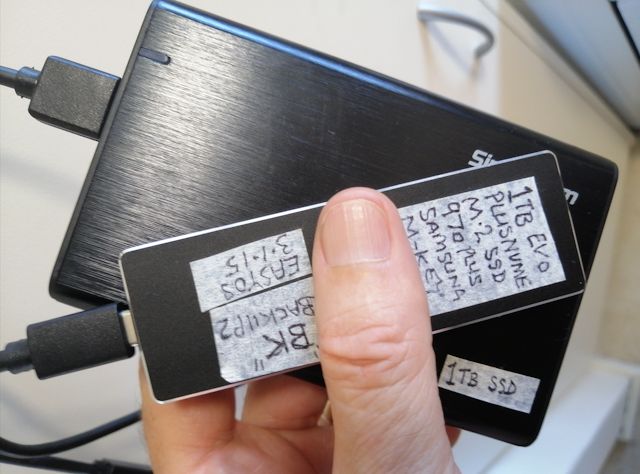
Two points to make here:
Firstly, I do not notice any appreciable difference in the time it takes to perform the backup. Possibly the usb3 cable will be the main bottleneck in both cases.
Secondly, the heating of the NVME SSD is alarming. It negates the original rationale for using an external SSD, being to reduce current drain over the USB cable.
Of course, the SATA aluminium casing has a bigger surface area,
but I don't think that will account for the huge difference in the
feel of heat when touching the cases.
My guess is that the NVME SSD is being deliberately run hotter, so as to get more speed, what we would refer to as "overclocking" in the case of a CPU.
Lesson learnt? The WD Blue SATA SSD is far cheaper, and I reckon
this is an example where it is better to stay with an older
technology.
Tags: tech
AMD Radeon R5 230 video card ordered
Having recently purchased a Nvidia GT218 GPU GeForce 210 video
card and experiencing how useful it is to have the actual hardware to
experiment with, I decided a cheap AMD card would also be nice to have.
Here are recent posts about the Nvidia card, the nouveau kernel driver, and getting it to work:
- mesa recompiled with gallium drivers — October 18, 2021
- New tutorial to fix broken video — October 17, 2021
- GT210 Nvidia card for old workhorse PC — October 08, 2021
I looked at Aliexpress, and found this one, that, apparently, has AU stock:
https://www.aliexpress.com/item/1005003251366183.html
Here is information on the AMD Radeon R5 230 GPU:
https://www.techpowerup.com/gpu-specs/radeon-r5-230.c2576
While browsing on Aliexpress, I read the description and
specifications very carefully, as I know many vendors can be sneaky. I
found some cards without any identification label affixed and advertised
as AMD, yet in the specs the GPU is given as "gm107", which is an
Nvidia GPU.
The one I have ordered does have a label affixed, but that doesn't
necessarily mean anything. But I see also in the photos, "AMD" printed
on the printed circuit board. So, seems OK.
Just an extra note, I also found this, almost same GPU, but has a passive heatsink:
https://www.aliexpress.com/item/1005003406002161.html

...looks nice, but I have already ordered the other one.
Tags: tech
Google forcing us to use gmail in standard mode
Right from the early days of gmail, I have used it in "basic html
view". However, recently it has been coming up in "standard view", and
despite trying to set it back to basic html view, persists in coming up
in standard view.
Gmail UI used to have this option to set default as basic html view:

I got that image from here:
That option is no longer there, nor is there any other way to set
basic html view as the default. Now, gmail will automatically come up in
standard view if gmail thinks the browser is capable of viewing it.
I even know when Google made the change, as the Brave browser guys
found, from August 13, gmail always comes up in basic html view. The
opposite problem! Link:
...it seems, gmail looks at the user-agent string, and does not
recognise Brave browser. Feedback at the above link says changing the
user-agent string in Brave to Chrome* fixes it.
There is a fix, if you want to force basic html view, it can be
specified in the URL. A couple of sites give this URL, and I even found
it recommended at a Google help site:
https://mail.google.com/?ui=html
...works for me, but some people are reporting that it only works "sometimes".
Here are two more, both work for me:
https://mail.google.com/mail/u/0/h/?v=lui
https://mail.google.com/mail/h/
Some links for more information:
https://support.google.com/mail/answer/15049?ctx=gmail
https://support.google.com/mail/thread/125430722/how-to-restore-basic-html-as-default-view?hl=en
https://ladedu.com/how-to-access-simple-html-gmail-in-any-browser/
https://www.reddit.com/r/GMail/comments/pl9i6s/no_basic_html_view/
Tags: tech
GT210 Nvidia card for old workhorse PC
I had reason to fire up my old HP workhorse PC recently. It has
been gathering cobwebs under the desk since early 2020, when I bought a
Lenovo PC.
When I say "HP", it is really a mixed-breed. Bought it second hand
from a guy who had put it together as a gaming machine. HP motherboard
with i5 CPU, 16GB RAM, UEFI-BIOS. Pre-USB3, so back then added a USB3
adapter card.
Anyway, the onboard video, Intel GPU, only has a HDMI socket.
However, the only spare monitor I have to use with it only has a VGA
input. As all of my computers only have Intel GPUs, I thought this is an
opportunity to get a video card with Nvidia, AMD, or Radeon GPU, for
testing with EasyOS. Only wanted something cheap, so bought this,
AU$26.54:
https://www.aliexpress.com/item/1005003230250044.html

It is a Nvidia GeForce 210 card, with GT218 Tesla GPU, 1GB RAM. This
GPU was released by Nvidia in 2009, so it is old. The card is made in
China, so don't even know if it is a genuine chip. Holding it in my hand
after arrival, it has that look of quality.
Here is the old workhorse:
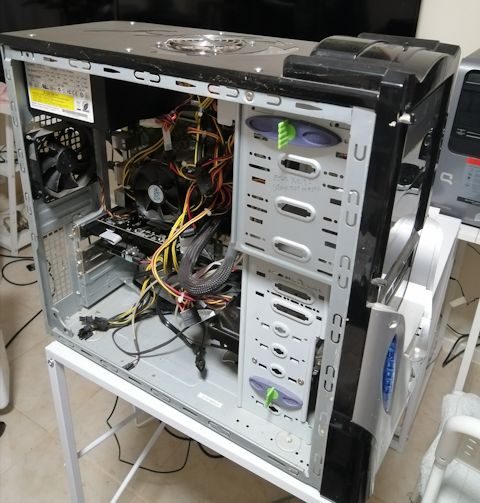
...fans all over the place, sounds like an aeroplane taking off! Now
here's the problem: the card works, but at the point of bootup where the
Linux kernel loads the 'nouveau' GPU kernel module, the screen goes
blank. Well, there is a message "input signal out of range", then it
goes black. The 'nouveau' module is supposed to support the GT218 GPU.
If I prevent the 'nouveau' kernel module from loading, can get to the commandline, but can't run Xorg.
Thinking how to progress from here. But there is another issue: for
anyone who boots EasyOS, or one of the pups or *Dogs, and gets the black
screen, they need some kind of "video safe mode" in the boot menu --
need to think about this also.
Oh, by the way, regarding those two fake "SSD" drives that I bought,
both vendors gave a full refund, without me having to return the drives.
I have appended to the blog post:
https://bkhome.org/news/202110/claimed-2tb-usb-ssd-is-only-128gb.html
Tags: tech